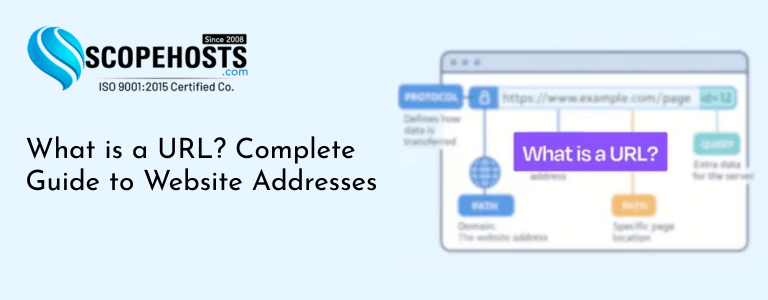
Every time you open a website in your browser, you use something called a URL, which helps users access websites hosted on a web hosting server. Whether you are visiting a blog, an online store, or a social media platform, the address you type in the browser is known as a URL.
But have you ever wondered what a URL actually is and how a website URL works? You can also explore the definition on Wikipedia.
Understanding URLs is important for website owners, developers, digital marketers, and even everyday internet users. URLs help browsers locate specific resources on the internet and allow users to access webpages quickly and efficiently.
In this guide, you will learn the URL meaning, see a URL example, and understand how a website URL is explained in simple terms.
What is a URL?
A URL (Uniform Resource Locator) is the address used to locate resources on the internet. It tells your web browser where to find a specific webpage, file, or resource on a server.
Example URL:
https://www.example.com/blog/what-is-url
When you enter a URL in your browser, several things happen behind the scenes:
- The browser sends a request to a server.
- The server locates the requested resource.
- The server sends the webpage data back to the browser.
- The browser displays the webpage.
Without URLs, navigating the internet would be extremely difficult.
Components of a URL
A typical URL consists of several parts, each serving a specific purpose.
Example: https://www.example.com/blog/article.html
1. Protocol
The protocol defines how data is transferred between the browser and server.
- HTTP
- HTTPS
- FTP
HTTPS is the secure version of HTTP and encrypts communication between the browser and the website.
2. Domain Name
The domain name represents the website’s identity. Learn more via Domain Name System (DNS).
Example: example.com
Domain names are easier to remember than IP addresses.
Instead of typing: 192.168.1.1
Users simply type: example.com
3. Path
The path refers to the specific page or file on the server.
Example: /blog/article.html
4. Query Parameters
Query parameters pass additional information to the server.
Example: https://example.com/products?id=25
Here, id=25 tells the server which product to display.
5. Fragment Identifier
A fragment identifier points to a specific section within a webpage.
Example: https://example.com/blog#section2

Types of URLs
There are two main types of URLs.
Absolute URL
An absolute URL contains the complete address.
Example: https://www.example.com/blog/article
Relative URL
A relative URL contains only the path.
Example: /blog/article
Why URLs Are Important for SEO
URLs play a major role in search engine optimization.Search engines analyze URLs to understand page content.
SEO-friendly URLs should be:
- Short
- Descriptive
- Keyword-rich
- Easy to read
Example of a good URL: example.com/wordpress-security-guide
Example of a poor URL: example.com/page?id=72819
Clear URLs help both users and search engines understand the page topic, especially for websites running on optimized Linux VPS hosting environments.

Best Practices for SEO-Friendly URLs
To create effective URLs, follow these guidelines.
Use Keywords
Include relevant keywords in the URL.
Example: example.com/best-web-hosting
Keep URLs Short
Short URLs are easier to read and remember.
Avoid unnecessary words.
Use Hyphens Instead of Underscores
Search engines treat hyphens as word separators.
Example: best-web-hosting instead of best_web_hosting
Avoid Special Characters
Special characters make URLs difficult to read.
Example to avoid: example.com/page?id=245&cat=7
Maintain Consistency
Use consistent URL structures across your website.
Example structure: example.com/blog/article-name
How URLs Work Behind the Scenes
When a user enters a URL in a browser, the following process occurs:
- DNS Lookup – The browser queries a Domain Name System (DNS) server to convert the domain name into an IP address.
- Server Connection – The browser connects to the web server hosting the website, which could be running on a VPS hosting server or dedicated infrastructure.
- The browser requests the specific resource.
- The server sends the webpage data.
- The browser renders the webpage for the user.
This entire process happens within milliseconds.
Common URL Issues
Several problems can occur with URLs.
- Broken URLs: Broken links occur when the target page no longer exists.
- Duplicate URLs: Multiple URLs showing the same content can cause SEO issues.
- Long Dynamic URLs: Complex query strings make URLs difficult to read and index.
Final Thoughts
URLs are one of the fundamental building blocks of the internet. They allow users to locate websites, access webpages, and navigate online content efficiently.
Understanding how URLs work helps website owners create better website structures, improve SEO, and enhance user experience.
By following best practices such as using clean URLs, including relevant keywords, and maintaining consistent structures, you can make your website easier to navigate and improve its visibility in search engines.
Now that the website URL is explained clearly, understanding how URLs work becomes much easier. From the URL meaning to seeing a practical URL example, learning about URLs helps website owners structure their websites better and improve SEO performance.