Your domain name is one of your most valuable digital assets. Whether you’re moving to a registrar with better pricing, improved customer support, enhanced security, or more advanced domain management tools, knowing how to complete a Domain Transfer correctly is essential.
Fortunately, transferring a domain between registrars is a straightforward process when you follow the right steps. Your website and email don’t have to go offline during the transfer, provided you prepare everything in advance.
This guide explains how to transfer a domain, the requirements, common mistakes to avoid, and best practices for ensuring a smooth migration.
What Is a Domain Transfer?
A Domain Transfer is the process of moving your domain registration from one domain registrar to another.
Your domain ownership remains the same. Only the company managing the registration changes.
For example, if your domain is currently managed by one registrar, you can transfer it to another registrar without changing your website, email, or DNS settings.
A domain transfer is different from:
- Domain pointing (changing DNS records)
- Website migration (moving website files)
- Hosting migration (changing web hosting providers)
Only the domain registration is transferred.
Why Transfer a Domain to a New Registrar?
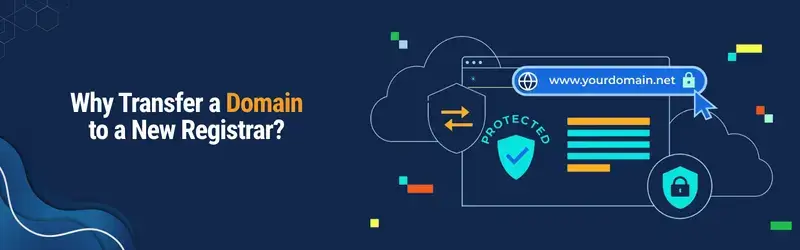
Many businesses choose to transfer a domain to a new registrar for several reasons.
Better Pricing
Some registrars offer lower renewal fees and more transparent pricing without hidden charges.
Improved Customer Support
Reliable technical support can make managing domains much easier, especially during renewals or DNS changes.
Advanced Security
Modern registrars often provide features such as:
- Domain Lock
- DNSSEC
- Two-Factor Authentication (2FA)
- WHOIS Privacy
- Account Security Alerts
Easier Domain Management
Businesses managing multiple domains may prefer a registrar with a more user-friendly dashboard and centralized management tools.
Can Every Domain Be Transferred?
Not always.
Before starting a Domain Registrar Transfer, check that your domain meets these conditions:
- The domain is more than 60 days old
- The domain hasn’t been transferred within the last 60 days
- Domain registration hasn’t expired
- Domain is unlocked
- You have access to the registrant email
- You can obtain the EPP (Authorization) Code
Before You Begin
Preparing your domain beforehand helps avoid delays.
Complete this checklist:
- Verify your contact information
- Ensure your email address is active
- Disable domain transfer protection (unlock the domain)
- Request the EPP Authorization Code
- Confirm the domain isn’t within the 60-day transfer restriction
- Check that your DNS records are correct
Step 1: Unlock Your Domain
Most registrars keep domains locked by default to prevent unauthorized transfers.
Log in to your domain management panel and locate the Domain Lock or Transfer Lock option.
Switch the status from:
Locked → Unlocked
Without unlocking the domain, the transfer request cannot proceed.
Step 2: Obtain the EPP Authorization Code
The EPP Code (also called the Authorization Code or Transfer Key) is a unique security code associated with your domain.
It verifies that you are the rightful domain owner.
Most registrars allow you to:
- View the code
- Generate a new code
- Receive it via email
Keep this code secure because it is required during the transfer.
Step 3: Verify Domain Contact Information
The new registrar sends transfer confirmation emails to the registered domain owner.
Before initiating the transfer:
- Update outdated email addresses
- Confirm phone numbers
- Verify registrant information
Incorrect contact details are one of the most common reasons domain transfers fail.
Step 4: Start the Domain Transfer
Now visit your new registrar and begin the Transfer Domain to New Registrar process.
Typically you’ll need to:
- Enter your domain name
- Provide the EPP Authorization Code
- Review the transfer details
- Complete payment (most transfers include a one-year renewal)
After submission, the transfer request is sent to your current registrar.
Step 5: Approve the Transfer
Many registrars send a confirmation email asking you to approve the transfer.
Open the email promptly and confirm the request.
Some registrars also allow you to approve the transfer directly from your account dashboard, which can speed up the process.
Step 6: Wait for Completion
After approval, the Domain Transfer Process usually completes within 5–7 days, although many transfers finish sooner.
During this time:
- Your website continues working
- Email services remain active
- Existing DNS records usually remain unchanged
There is generally no interruption to visitors if DNS settings are left intact.

What Happens to Your Website During the Transfer?
Many website owners worry about downtime.
The good news is that transferring a domain does not move your website or hosting.
If your hosting server remains the same and DNS records are unchanged:
- Your website stays online.
- Emails continue working.
- Visitors won’t notice the transfer.
Common Domain Transfer Mistakes
Avoid these common issues that can delay or cancel your transfer.
Leaving the Domain Locked
The most common mistake is forgetting to unlock the domain before starting the transfer.
Incorrect Contact Email
Transfer approvals are sent to the registered email address. If you can’t access it, the transfer may fail.
Missing the EPP Code
Entering an incorrect Authorization Code will prevent the transfer from proceeding.
Expired Domain
Although some registrars allow transfers close to expiration, it’s safer to renew the domain if necessary before initiating the move.
Changing DNS During Transfer
Making unnecessary DNS changes while the transfer is in progress increases the risk of service interruptions.

Does Domain Transfer Affect SEO?
One of the biggest concerns for website owners is search engine rankings.
The answer is No, provided the transfer is handled correctly.
A Domain Registrar Transfer does not change:
- Your domain name
- Website content
- URLs
- Backlinks
- Search engine indexing
Google treats the website as the same entity because only the registrar changes.
SEO problems usually arise only when:
- DNS records are deleted
- The website becomes unavailable
- SSL certificates are misconfigured
- Hosting changes are performed incorrectly
Does Domain Transfer Affect Email?
Not if your DNS records remain the same.
Before transferring:
- Record your MX records
- Verify SPF records
- Check DKIM configuration
- Confirm DMARC settings
These records are responsible for email delivery and should remain unchanged during a registrar transfer.
Benefits of Choosing the Right Registrar
A quality registrar offers more than just domain registration.
Look for features such as:
- Competitive renewal pricing
- Free domain management tools
- DNS management
- WHOIS privacy options
- Two-Factor Authentication
- DNSSEC support
- Fast customer support
- Easy renewal reminders
Selecting the right registrar helps simplify long-term domain management.
Frequently Asked Questions
How long does a domain transfer take?
Most domain transfers are completed within 5 to 7 days, although some finish in less than 48 hours after approval.
Will my website go offline?
No. If your hosting and DNS settings remain unchanged, your website should continue operating normally.
Can I transfer an expired domain?
It depends on the registrar and the domain’s status. Renewing the domain before transferring is generally recommended.
What is an EPP Code?
An EPP (Authorization) Code is a unique security code used to verify ownership before transferring a domain.
Can I transfer my domain immediately after registration?
No. Most domains cannot be transferred within the first 60 days after registration or a previous transfer due to ICANN regulations.
Final Thoughts
A Domain Transfer is a routine process that allows you to move your domain registration to a new registrar while keeping ownership of your website intact. With proper preparation—such as unlocking the domain, obtaining the EPP authorization code, verifying your contact details, and preserving your DNS records. You can complete the transfer with little to no disruption.
Whether you’re looking for improved security, better pricing, or easier domain management, understanding how to transfer a domain helps ensure a smooth experience. By following the steps outlined in this guide and avoiding common mistakes, you can confidently move your domain registration while keeping your website and email services running seamlessly.