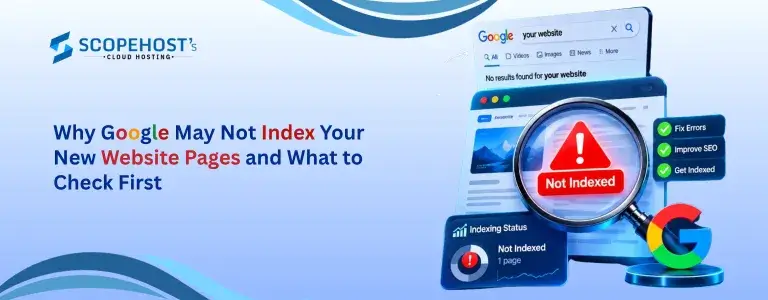
Publishing a new website or adding fresh pages is exciting, but it can be frustrating when those pages do not appear on Google. You may have created useful content, added relevant keywords, and published everything correctly, but your new pages may still not show up in search results.
If you are wondering why Google is not indexing my website, there is usually no need to panic. Google needs time to discover, understand, and process new pages before they can appear in search results. This is especially common with new websites that have little history or few pages.
In this guide, we will look at the most common reasons why Google may not index your new website pages and the simple things you can check to improve your chances of getting them discovered.
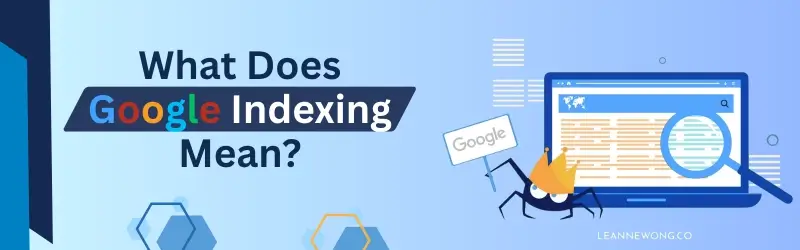
What Does Google Indexing Mean?
Google indexing means that Google has discovered and stored a webpage in its database. Once a page is indexed, it can potentially appear in Google’s search results when someone searches for information related to that page.
Think of Google as a huge library. When you publish a new webpage, Google first needs to discover it, understand what the page is about, and then decide whether it should be included in its library.
If Google has not indexed your page yet, it will generally not appear in search results. This is why Google indexing issues can affect the visibility of a new website, even when the website is working properly.
1. Your Website or Page Is Still New
One of the most common reasons Google does not index a new page immediately is simply because the page is new. Google needs time to discover and process new content, and there is no fixed amount of time that every website has to wait.
New websites can sometimes take longer because Google has limited information about them. If you have launched your website recently and published several pages, it is normal for some of those pages to take time before they appear in Google.
Instead of worrying immediately, make sure your important pages are accessible and give Google some time to discover them. You can also use Google Search Console to help you understand whether Google has found your pages.
2. Check Google Search Console
If you are trying to understand why Google is not indexing my website, Google Search Console is one of the best places to start. It is a free tool that provides information about how Google sees and understands your website.
One of its most useful features is URL Inspection. You can enter the URL of a specific page and check whether Google has discovered it and whether there are any issues that could prevent it from appearing in search results.
You do not need to understand every technical detail shown in Search Console. Start by checking whether Google can access the page and whether the page has been indexed. This simple check can help you identify the next step.
3. Make Sure Google Can Find Your New Page
A new page should be easy to find from other parts of your website. If you publish a page but do not link to it from anywhere else, visitors may have difficulty finding it, and search engines may also take longer to discover it.
For example, if you publish a new article about VPS hosting, you can link to it from another relevant hosting article. You can also link to important service pages from related blog posts.
This type of linking is called internal linking. It helps visitors move around your website and helps Google understand how different pages are connected.
Make sure your important pages are linked from relevant pages and are not completely isolated from the rest of your website.
4. Check Your Website Sitemap
A sitemap is a file that contains a list of important pages on your website. It helps search engines discover the pages you want them to know about.
Most websites have an XML sitemap that may look something like yourwebsite.com/sitemap.xml. Your sitemap should include the important pages you want Google to discover.
If you have recently launched your website or added several new pages, check that those pages are included in your sitemap. You can also submit the sitemap through Google Search Console.
A sitemap does not guarantee that Google will index every page, but it can make it easier for Google to discover your website’s important content. This is particularly useful when learning how to get a new website indexed.
5. Make Sure You Have Not Blocked the Page
Sometimes a page does not appear on Google because a setting on the website is telling search engines not to include it in their results. This can happen accidentally, particularly when a website is being developed, redesigned, or moved from one platform to another.
If you use WordPress or another content management system, check the page’s SEO and visibility settings. Make sure important pages are allowed to appear in search engines.
If you are not sure about these settings, ask your website developer or SEO professional to check them. A small setting can sometimes prevent an otherwise useful page from being indexed.
6. Avoid Creating Pages With Almost the Same Content
Google wants to provide useful and different results to people searching online. If your website contains several pages with almost identical content, Google may decide that some of those pages do not need to appear separately in search results.
For example, creating several pages with slightly different titles but almost exactly the same information may not provide much additional value to visitors.
Instead, try to make every important page useful for a specific purpose. Before creating a new page, ask yourself whether it provides information that is genuinely different from the pages you already have.
Unique and useful content gives visitors a better experience and gives Google a clearer reason to understand and consider the page.
7. Create Useful and Original Content
Indexing is not only about technical settings. The content on your website also matters. Pages that contain very little useful information may have less value for visitors and may not perform well in search.
This does not mean that every page needs to be extremely long. A useful page should simply answer the visitor’s question clearly and provide enough information to help them.
Try to create content that is original, relevant, easy to understand, and written for real people. Avoid adding keywords repeatedly just to make a page appear more optimized.
Your primary goal should be to answer the user’s question or solve their problem. When the content is genuinely helpful, it has a better foundation for gaining search visibility.
8. Check Your Page Title and Main Topic
Sometimes a page has already been indexed, but you may not find it when searching on Google. This does not necessarily mean there is an indexing problem.
Indexing and ranking are two different things. Indexing means Google has added your page to its database, while ranking refers to where that page appears for a particular search.
For example, you may create a page about managed VPS hosting and expect it to appear immediately when someone searches for “VPS hosting.” However, that search may be highly competitive, especially for a new website.
If your page is indexed but does not rank well, you may need to improve its content, search intent, internal links, and overall SEO rather than focusing only on indexing.
9. Do Not Change Everything Every Day
When a new page does not appear on Google, it can be tempting to keep changing the title, content, keywords, and other settings every day. In most cases, this is not necessary.
First, check the basics and make sure there are no obvious problems with the page. Then give Google some time to discover and process the content.
If you have made important changes to a page, you can use Google Search Console to request that Google check the page again. However, a request does not guarantee that the page will be indexed immediately.
SEO generally requires patience. Constantly changing a page before giving it enough time to be evaluated can make it harder to understand which changes are actually helping.
10. Keep Your Website Easy to Navigate
A simple website structure is helpful for both visitors and search engines. Your important pages should be easy to reach from other relevant pages on your website.
For example, a hosting website could have a structure such as Home, Hosting, VPS Hosting, and Managed VPS Hosting. A blog can also be organized into relevant categories so that visitors can easily find related articles.
You do not need a complicated website structure. Keeping your pages organized and connecting related content with internal links can make your website easier to understand and navigate.

How to Get a New Website Indexed
If you are looking for how to get a new website indexed, start with a few simple steps. First, make sure your website is live and that all important pages open properly. Next, create an XML sitemap and make sure your important pages are included in it.
After that, add your website to Google Search Console and submit your sitemap. Use the URL Inspection feature to check important new pages and see whether Google has discovered them.
You should also add internal links to your new pages from relevant existing content. Finally, make sure your pages contain useful and original information that clearly answers what visitors are searching for.
These steps can help Google discover your website, but there is no guaranteed time for indexing. A new website may need some patience before its pages begin appearing in search results.
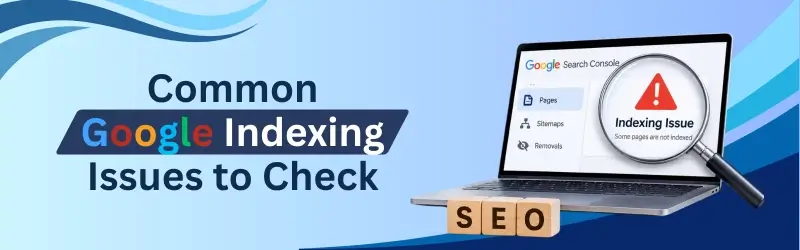
Common Google Indexing Issues to Check
If you are experiencing Google indexing issues, start by checking whether your website is new, whether Google can access your pages, and whether your sitemap contains the important URLs.
You should also check whether any page settings are preventing search engines from indexing your content. Review your internal links and make sure important pages are connected to the rest of your website.
If your pages contain very similar or low-value content, consider improving them or combining pages where appropriate. Also remember that a page can be indexed without ranking highly for your target keywords.
Final Thoughts
If your new website pages are not appearing on Google, do not assume that something is seriously wrong. New websites and newly published pages often need time before Google discovers and processes them.
Start by checking Google Search Console, your sitemap, internal links, page settings, and content. These simple checks can help you identify many common Google indexing issues without making unnecessary changes to your website.
It is also important to remember that indexing does not automatically mean ranking. Once Google indexes your page, it may still take time for the page to gain visibility and appear higher in search results.
The best approach is to create useful content, keep your website easy to navigate, make your important pages easy to discover, and regularly check your website through Google Search Console. With a good foundation and some patience, your new pages can gradually become part of Google’s search results and start attracting organic visitors.