
Today, streaming is about more than simply watching material; it’s also about watching without interruptions. Users now demand smooth playback of live sports, movies, and 24/7 channels. But behind those smooth experience is a strong backbone i.e a Video Streaming Server
If you’ve ever experienced buffering during an important sports event or a beloved show, you understand how aggravating it can be. This is where a well-optimized IPTV streaming server 2026 configuration can make all the difference.
In this guide, we’ll go over how streaming servers work, what keeps IPTV playback running smoothly, and how to resolve buffering issues at the root cause.
Understanding IPTV streaming server 2026: The Basics
IPTV (Internet Protocol Television) delivers content over the internet instead of traditional cable or satellite systems. Unlike downloading a video file, IPTV streams data in real-time, which means:
- Content is delivered in small packets
- Playback starts before the entire file is downloaded
- Continuous data flow is required
This is why the infrastructure behind IPTV must be extremely efficient. A weak backend leads to delays, buffering, or even complete playback failure
At the core of this system sits the Video Streaming Server, responsible for delivering content quickly, consistently, and without interruption.
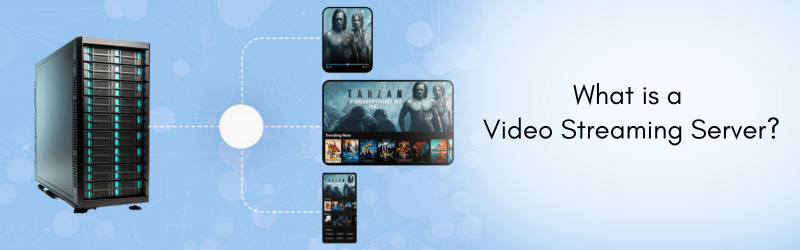
What is a Video Streaming Server?
A Video Streaming Server is a specialized server designed to:
- Store video content or receive live feeds
- Encode and compress video data
- Deliver video streams to users in real time
Unlike regular hosting servers, streaming servers are optimized for high bandwidth usage, low latency, and continuous data delivery.
They are built to handle thousands of simultaneous users while maintaining quality—something standard servers struggle with.
Why IPTV Playback Gets Interrupted
Before understanding how to achieve smooth streaming, it’s important to know what causes interruptions.
- Network Congestion When too many users access the same stream without proper load balancing, bandwidth gets saturated.
- Poor Server Configuration Improper encoding settings, weak CPU performance, or lack of RAM can slow down delivery.
- Lack of Adaptive Streaming If the server doesn’t adjust quality based on user internet speed, buffering becomes inevitable.
- High Latency Delays in data transfer between server and user lead to playback interruptions.
- Insufficient CDN Usage Serving content from a single location increases load time for distant users.
All these issues highlight why choosing the best IPTV server setup is crucial.
How a Video Streaming Server Ensures Uninterrupted IPTV Playback
Let’s break down the core technologies and techniques that keep streaming smooth.
1. Adaptive Bitrate Streaming (ABR)
Adaptive Bitrate Streaming dynamically adjusts video quality based on the user’s internet speed.
- Fast connection → High quality (1080p / 4K)
- Slow connection → Lower quality (480p / 720p)
This prevents buffering because playback continues even if bandwidth fluctuates.
Without ABR, users would experience constant interruptions whenever their network slows down.
2. Efficient Video Encoding and Compression
Raw video files are massive. Streaming servers use codecs like:
- H.264
- H.265 (HEVC)
These reduce file size while maintaining quality.
A well-configured Video Streaming Server ensures:
- Faster data transfer
- Reduced bandwidth usage
- Smooth playback across devices
Better compression = less buffering.
3. Content Delivery Network (CDN) Integration
A CDN distributes your content across multiple global servers.
Instead of delivering from one central location, users connect to the nearest server.
Benefits include:
- Reduced latency
- Faster load times
- Improved scalability
This is one of the most effective strategies for achieving uninterrupted IPTV playback.
4. Load Balancing for High Traffic
When thousands of users watch the same stream, a single server can crash or slow down.
Load balancing distributes traffic across multiple servers:
- Prevents overload
- Ensures consistent performance
- Improves uptime
A properly configured IPTV streaming server 2026 setup always includes load balancing.
5. High-Performance Hardware
Streaming is resource-intensive. The best IPTV servers use:
- High-core CPUs
- NVMe SSD storage
- Large RAM capacity
These components ensure:
- Fast processing of video streams
- Quick response times
- Stable performance under load
Cheap servers often fail here, leading to buffering issues.
6. Low Latency Streaming Protocols
Protocols like:
- HLS (HTTP Live Streaming)
- DASH (Dynamic Adaptive Streaming over HTTP)
- RTMP (Real-Time Messaging Protocol)
help deliver video efficiently.
Low latency protocols ensure:
- Minimal delay between server and user
- Real-time streaming for live content
This is essential for sports and live broadcasts.
7. Smart Caching Mechanisms
Caching stores frequently accessed content closer to users.
When multiple users request the same stream:
- Cached data is served instantly
- Server load is reduced
This directly improves playback speed and reduces buffering.
8. Scalable Infrastructure
A modern best IPTV server setup must be scalable.
This means:
- Automatically adding resources during peak traffic
- Reducing resources during low usage
Cloud-based infrastructure makes this possible, ensuring uninterrupted service even during sudden traffic spikes.
IPTV Buffering Fix: Practical Solutions
If you’re facing buffering issues, here are actionable fixes.
Optimize Server Configuration
- Use optimized encoding settings
- Enable hardware acceleration
- Allocate sufficient RAM and CPU
Upgrade Bandwidth
Low bandwidth is one of the biggest causes of buffering.
- Ensure high throughput
- Avoid shared bandwidth limitations
Implement CDN
Serving global users without a CDN is a mistake.
- Use multiple edge locations
- Reduce distance between server and user
Enable Adaptive Streaming
Without ABR, users on slower networks will always struggle.
Monitor Server Performance
Use monitoring tools to track:
- CPU usage
- Bandwidth consumption
- Latency
Fix issues before they impact users.
Choosing the Best IPTV Server Setup
Not all servers are created equal. When selecting the best IPTV server, look for:
- High Bandwidth Capacity Streaming requires consistent data flow. Unlimited or high-bandwidth plans are ideal.
- Powerful Hardware Avoid low-end servers. Choose configurations built for streaming workloads.
- Global Data Centers Closer servers mean faster delivery.
- DDoS Protection Streaming platforms are common targets. Security is essential.
- Scalability Options Your server should grow with your audience.
The Future of IPTV Streaming (2026 and Beyond)
The Streaming technology is advancing rapidly. The IPTV streaming server 2026 landscape is estimated to include the below:
- AI-based traffic optimization
- Edge computing for ultra-low latency
- 5G-powered streaming
- Enhanced video compression technologies
These advancements will further reduce buffering and improve user experience.
Why Server Quality Matters More Than Ever
Users of today’s generation have zero tolerance or patience for buffering. Even a few seconds of delay can lead to the below :
- Viewer drop-off
- Loss of revenue
- Poor brand perception
Investing in a high-quality Video Streaming Server is not just a technical decision—it’s a business decision.
Final Thoughts
Delivering smooth IPTV programming is not magic; it is engineering.
From adaptive bitrate streaming to CDN integration and scalable infrastructure, each component contributes to uninterrupted IPTV playback.
If you are serious about providing a best streaming experience you must prioritize – Performance, Scalability, Optimization
Most importantly, you have to choose the right server configuration from the start, because speed and stability are most critical in streaming.