When a website feels slow, the problem is not always your internet connection or website design. The server running the website plays a major role in how quickly pages load, applications respond, and requests are processed.
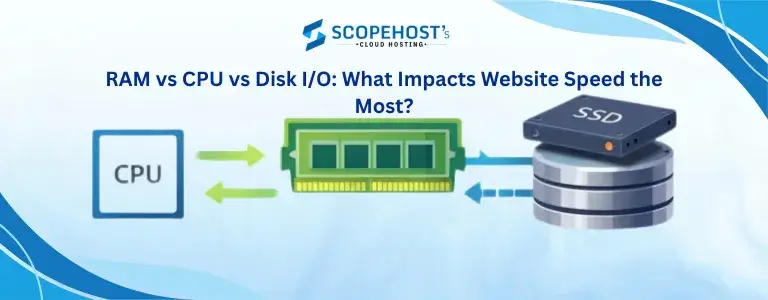
Three server resources are especially important: RAM, CPU, and Disk I/O.
But which one has the biggest impact on website speed?
The answer depends on what your website is doing. A WordPress website with heavy plugins may depend heavily on CPU and RAM, while a database-intensive application can be affected significantly by Disk I/O. Understanding how these resources work can help you identify performance bottlenecks and choose the right hosting environment.

Why Server Resources Matter for Website Speed
Every time someone visits your website, the server has to process a request.
Depending on the website, it may need to:
- Run application code
- Query a database
- Read files from storage
- Process PHP or other scripts
- Load cached content
- Generate HTML
- Handle multiple visitors simultaneously
CPU, RAM, and storage work together during this process.
If one resource becomes a bottleneck, the entire website can slow down.
For this reason, simply adding more RAM or choosing a server with a faster CPU does not always solve a performance problem. The key is understanding which resource is actually being exhausted.
CPU: The Processing Power Behind Your Website
The CPU (Central Processing Unit) handles instructions and calculations required by your website and applications.
Whenever your server needs to execute code, process requests, run scripts, or perform calculations, the CPU is involved.
A powerful CPU can process more work efficiently, particularly when your website receives many simultaneous requests.
When CPU Matters Most
CPU performance can become especially important for:
- Dynamic websites
- WordPress websites with many plugins
- E-commerce platforms
- SaaS applications
- Web applications
- High-traffic websites
- Websites running complex scripts
- Content management systems
For example, when a visitor opens a dynamic WordPress page, PHP code may need to execute before the final HTML is delivered.
If the CPU is already heavily utilized, requests may spend more time waiting to be processed.
Signs of a CPU Bottleneck
You may have a CPU-related performance problem if you notice:
- High CPU utilization
- Slow application processing
- Increasing response times during traffic spikes
- Slow PHP execution
- Processes waiting for CPU resources
In these situations, upgrading to a faster CPU or reducing unnecessary processing can help.
RAM: Keeping Data and Applications Ready
RAM, or Random Access Memory, is temporary memory used by the operating system and applications.
Unlike storage, RAM provides very fast access to data that the server needs frequently.
When your website has enough RAM, the server can keep more active processes and frequently used information in memory.
When RAM becomes insufficient, the operating system may start using disk-based swap or other memory management techniques.
This can significantly reduce performance.
When RAM Matters Most
RAM is particularly important for:
- Large databases
- Multiple applications
- High-traffic websites
- WordPress websites with many plugins
- E-commerce platforms
- Control panels
- Caching systems
- Multiple websites on one server
For example, a server hosting several websites may need considerably more RAM than a server running a single lightweight website.
Signs of a RAM Bottleneck
Watch for:
- High memory usage
- Frequent swap usage
- Applications being terminated because of memory pressure
- Slow database performance
- Performance degradation as traffic increases
If your server constantly runs out of available memory, adding more CPU may not solve the problem.
More RAM could provide a much bigger performance improvement.
Disk I/O: The Often-Overlooked Performance Factor
Disk I/O refers to how quickly the server can read data from and write data to storage.
Whenever an application needs to access files, databases, logs, cache data, or other stored information, storage performance becomes relevant.
This is particularly important for database-driven websites.
Why Disk I/O Matters
Imagine an online store with thousands of products.
When a visitor searches for a product, the application may need to:
- Receive the search request
- Query the database
- Read relevant information
- Process the results
- Return the page
If storage operations are slow, the entire process can take longer.
Fast SSD or NVMe storage can significantly improve workloads that perform frequent read and write operations.
Websites That Can Be Sensitive to Disk I/O
Disk performance can be particularly important for:
- WordPress websites with large databases
- WooCommerce stores
- Magento websites
- Database-heavy applications
- Hosting servers
- Backup operations
- File processing applications
- Websites with large amounts of dynamic content
RAM vs CPU vs Disk I/O
So, which resource impacts website speed the most?
There is no universal answer.
| Resource | Main Role | Most Important When |
|---|---|---|
| CPU | Processes instructions | Heavy application processing |
| RAM | Holds active data and processes | Multiple applications and high traffic |
| Disk I/O | Reads and writes data | Database and storage-heavy workloads |
A website that performs lots of calculations may be CPU-bound.
A website running many applications simultaneously may be RAM-bound.
A database-heavy website performing frequent storage operations may be limited by Disk I/O.
The best approach is to identify the bottleneck rather than assuming one resource is always more important.

CPU vs RAM: Which Is More Important?
CPU and RAM often work together.
Suppose your website receives a large traffic spike.
More visitors create more application processes and database activity. This increases the amount of memory required while also increasing CPU workload.
If there is plenty of RAM but the CPU is constantly running at maximum utilization, upgrading memory may not help much.
Similarly, a powerful CPU cannot compensate for severe memory pressure.
This is why balanced server resources are important.
RAM vs Disk I/O
RAM and Disk I/O are also closely connected.
When enough RAM is available, frequently used information can remain in memory, reducing the need to repeatedly access storage.
When RAM is insufficient, the operating system may rely more heavily on disk-based memory operations.
Because storage is generally much slower than RAM, excessive swapping can result in noticeable performance degradation.
This is one reason adequate RAM is particularly important for database servers and busy hosting environments.
CPU vs Disk I/O
A fast CPU cannot compensate for slow storage.
Imagine an application that spends much of its time waiting for database reads and writes.
Even if the CPU has plenty of processing capacity, the application may still be waiting for storage operations to complete.
In such a situation, upgrading from standard storage to faster SSD or NVMe storage may provide a more noticeable improvement than adding CPU cores.
What About NVMe Storage?
NVMe storage is designed to provide high-speed data access with significantly lower latency than traditional hard drives.
For websites and applications that frequently access storage, this can improve:
- Database operations
- File access
- Application loading
- Backup operations
- Cache operations
- Website response times
However, NVMe does not automatically make every website dramatically faster.
If your website is already CPU-bound, faster storage may have limited impact.
Again, the workload matters.

What Resource Does WordPress Need Most?
WordPress performance depends on several factors.
A simple WordPress blog with caching may use relatively few server resources.
A large WooCommerce website with many plugins, a large database, and frequent dynamic requests can require significantly more CPU, RAM, and storage performance.
CPU can become important when plugins and PHP processes are doing substantial work.
RAM becomes important when multiple PHP workers, databases, caching systems, and other services are active.
Disk I/O becomes important when the database and filesystem are performing frequent read and write operations.
The best setup is therefore a balanced one.
How Caching Changes the Equation
Caching can reduce the amount of work your server needs to perform.
Instead of generating the same page for every visitor, a cached copy can be served directly.
This can reduce:
- CPU usage
- Database queries
- RAM pressure
- Disk activity
Caching can therefore make a website feel significantly faster without upgrading server hardware.
For websites receiving mostly repeatable requests, effective caching can sometimes provide a larger improvement than simply adding resources.
How to Identify Your Server Bottleneck
Before upgrading your server, monitor resource usage.
Look at:
CPU Usage
Check whether CPU utilization remains consistently high during normal traffic.
RAM Usage
Look for memory pressure and swap activity.
Disk I/O
Check whether applications are frequently waiting for storage operations.
Load Average
Load average can provide useful information about how many processes are waiting for CPU or other resources.
Application Metrics
Your website or application logs can also reveal slow database queries, PHP processes, API calls, and other bottlenecks.
Monitoring gives you a much clearer picture than simply guessing which resource needs an upgrade.
What Should You Upgrade First?
The answer depends on what your monitoring shows.
If CPU Is the Bottleneck
Consider:
- Faster CPU
- More CPU cores
- Optimizing application code
- Reducing unnecessary plugins
- Improving caching
If RAM Is the Bottleneck
Consider:
- Adding more RAM
- Reducing unnecessary services
- Optimizing applications
- Improving caching
- Reviewing database memory usage
If Disk I/O Is the Bottleneck
Consider:
- Moving to SSD or NVMe storage
- Optimizing database queries
- Reducing unnecessary disk operations
- Improving caching
- Separating heavy storage workloads
Is More Hardware Always Better?
Not necessarily.
A website with inefficient code can remain slow even on a powerful server.
For example, a poorly optimized database query may take several seconds regardless of whether the server has more CPU cores.
Likewise, a website loading huge images or excessive JavaScript can remain slow even with excellent server hardware.
Server resources are only one part of website performance.
A complete optimization strategy should consider both the server and the website itself.
The Best Server Setup for Website Performance
For most modern websites, a balanced server configuration is more valuable than maximizing one specification.
You want:
- Sufficient CPU capacity
- Adequate RAM
- Fast SSD or NVMe storage
- Reliable networking
- Effective caching
- Proper database configuration
- Optimized application code
The exact balance depends on your workload.
A small business website does not necessarily need the same resources as a large e-commerce store or SaaS application.
Final Thoughts
So, RAM vs CPU vs Disk I/O: what impacts website speed the most? There is no single winner. CPU matters when your website performs intensive application processing. RAM matters when multiple processes, databases, and applications need memory at the same time. Disk I/O matters when your workload frequently reads and writes data, particularly with database-heavy applications.
For most websites, the best strategy is to monitor your server, identify the actual bottleneck, and upgrade the resource that is limiting performance. A well-balanced hosting environment combined with caching, database optimization, efficient code, and fast storage can provide a much bigger performance improvement than simply choosing the server with the largest numbers.
The goal isn’t to buy the most powerful server possible. It’s to give your website the right resources for the workload it actually has.