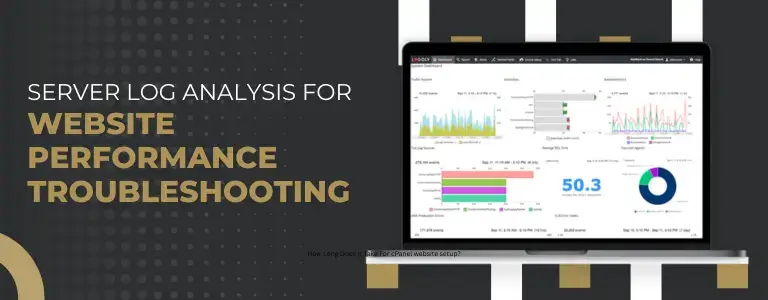
How Server Log Analysis Helps Fix Website Performance Issues
Website performance is very important for user experience, search engine rankings, and business growth. Visitors may lose trust in your site if it is slow or unstable. This can lead to higher bounce rates, fewer conversions, and more.
Many website owners use frontend tools to check speed, but the real information is often found deeper at the server level. Server logs keep track of everything that happens on your website in great detail. This makes them one of the best tools for finding and fixing performance problems.
What is Server Log Analysis?
When you analyze server logs, you look at the log files that your web server makes to see how requests are handled and where problems happen.
The server keeps track of things like the following every time someone visits your website:
- Ask for the time and date
- The visitor’s IP address
- Page or resource that was asked for
- Status of the response
- The time it takes to process

Types of Server Logs
Access Logs
Access logs track all incoming requests to your website. They help you analyze traffic patterns, identify popular pages, and detect unusual activity.
Error Logs
Error logs record issues that occur on the server. These include missing pages, server crashes, and script errors. Monitoring error logs is essential for maintaining website stability.
Application Logs
Application logs are generated by platforms like WordPress or custom applications. They provide insights into backend processes, database errors, and plugin behavior.
Security Logs
Security logs track suspicious activities such as repeated login attempts or unusual traffic patterns. These logs are useful for protecting your website from attacks.
Why Server Log Analysis is Important
Website performance is very important for user experience, search engine rankings, and business growth. Visitors may lose trust in your site if it is slow or unstable. This can lead to higher bounce rates, fewer conversions, and more.
Many website owners use frontend tools to check speed, but the real information is often found deeper at the server level. Server logs keep track of everything that happens on your website in great detail. This makes them one of the best tools for finding and fixing performance problems.
Finding Requests That Are Slow
You can find pages or scripts that take longer to load by looking at server logs. You can then make those areas better and faster.
Finding Traffic Spikes
If traffic goes up too quickly, your server may become overloaded. Logs help you figure out when and where these spikes happen.
Fixing Mistakes
A lot of mistakes can make things work worse and make the user experience worse. Log analysis makes it easy to find and fix these problems quickly.
Making the Most of Resources
You can make the most of your server’s resources, like CPU, memory, and bandwidth, by looking at how requests come in.
Making SEO Better
Websites that load quickly and work well are better for search engines. Fixing problems with performance makes crawling more efficient and raises rankings.
Key Metrics to Monitor
This shows how fast your server responds to requests. High response times are often a sign of problems with performance.
HTTP Status Codes
Monitoring status codes helps you detect issues:
- 200 – Successful request
- 301/302 – Redirects
- 404 – Page not found
- 500 – Server error
Volume of Requests
Knowing which pages get the most traffic helps you make the most of the areas that get the most traffic.
Use of Bandwidth
If you don’t optimize your website properly, big files and heavy resources can make it slow.
IP Activity
If a single IP keeps asking for the same thing, it could be a bot or someone doing something bad.

Common Performance Issues Found in Logs
Slow Database Queries
Inefficient database queries can significantly impact performance. Optimizing queries and using caching can resolve this issue.
High Server Load
Too many requests in a short period can overload your server. Scaling resources or using a content delivery network can help.
Broken Links
Frequent missing pages waste server resources and harm SEO. Fixing broken links improves both performance and user experience.
Bot Traffic
Automated traffic can consume server resources unnecessarily. Blocking suspicious IPs and implementing security rules can reduce this load.
Large Media Files
Unoptimized images and videos can slow down your website. Compressing files and using modern formats improves load time.
Step-by-Step Guide to Analyze Server Logs
This step-by-step guide will help you analyze server logs efficiently for better website performance troubleshooting.
Step 1: Access Your Logs
You can access logs through:
- cPanel dashboard
- Hosting control panel
- SSH access on your server
Step 2: Use Analysis Tools
Tools make it easier to process large log files:
- GoAccess
- AWStats
- ELK Stack
- Splunk
Step 3: Filter Important Data
Focus on:
- Errors
- Slow requests
- High-traffic endpoints
Step 4: Identify Patterns
Look for recurring issues such as repeated failures or unusual spikes in traffic.
Step 5: Take Action
Based on your findings:
- Optimize code
- Fix errors
- Improve caching
- Upgrade infrastructure if needed
Best Practices for Log Analysis
- Monitor logs regularly
- Set up automated alerts
- Rotate logs to save storage
- Use centralized logging systems
- Secure log files from unauthorized access
Real-World Example
A website experiences slow performance during peak hours.
After analyzing server logs:
- A specific API endpoint was receiving excessive requests
- Multiple server errors were detected
- A single IP was making repeated requests
Actions taken:
- Optimized the API
- Blocked the suspicious IP
- Enabled caching
Result:
- Improved load time
- Reduced server load
- Better user experience
How Server Log Analysis Improves SEO
Analyzing server logs helps improve:
- Speed of page load
- How well does crawling work?
- Lessening errors
- User involvement
Advanced Techniques
- Use past logs to guess how traffic will flow
- Use AI-based tools to find things that are out of the ordinary.
- Combine logs with analytics platforms to get more information.
Challenges in Server Log Analysis
- A lot of data
- Complicated technology
- Hard to sort through useful information
Conclusion
To keep a website running well, you need to regularly check the server logs. It gives you a lot of information about how servers work, which helps you find problems that regular tools can’t see.
You can make your website faster, improve the user experience, and get better search engine rankings by regularly looking at logs.