Web hosting downtime can turn into a nightmare for any website owner. Whether you run a business website, an online store, a portfolio, or a blog, your entire online presence depends on your hosting server staying active and accessible. When hosting services fail, visitors may see error pages, slow loading times, missing content, or complete website unavailability.
Many people assume that hosting problems only affect large businesses, but even a short outage can impact customer trust, search engine rankings, leads, and revenue. In today’s digital environment, users expect websites to load instantly and remain available 24/7. If a website goes offline repeatedly, visitors often leave and may never return.
Understanding what happens during hosting downtime and knowing how to reduce the risks can help businesses stay protected and prepared.
Understanding Hosting Downtime
Hosting downtime happens when the server responsible for storing and delivering your website becomes inaccessible. This means users cannot access your website properly through the internet.
Downtime may occur for several reasons, including:
- Hardware failures
- Network issues
- Data center outages
- Power interruptions
- Cyberattacks
- Misconfigured updates
- Overloaded servers
- Software crashes
- DNS problems
Depending on the issue, downtime can last for a few minutes, several hours, or in severe cases, days.
Even large companies occasionally experience server outages. The difference lies in how quickly the issue is detected and resolved.
What Visitors See During Website Downtime
When a website experiences hosting server downtime, visitors may encounter different types of errors depending on the underlying problem.
Common signs include:
1. Website Not Loading
The browser may continue loading indefinitely without displaying the website.
2. Error Messages
Users might see messages such as:
- 500 Internal Server Error
- 502 Bad Gateway
- 503 Service Unavailable
- Connection Timed Out
- DNS Server Not Found
3. Partial Website Failure
Sometimes only parts of the website stop functioning. Images may fail to load, forms may stop working, or checkout pages may crash.
4. Extremely Slow Loading Speeds
In some cases, the server remains active but becomes overloaded, resulting in poor performance and slow page loading.
These experiences create frustration for users and reduce trust in the website.
The Immediate Impact of Website Downtime
Loss of Visitors
One of the first consequences of website downtime is the sudden loss of traffic. Visitors who cannot access the website often leave within seconds.
Online users have very little patience. If a page does not load quickly, most people move to another website immediately.
Revenue Loss for Businesses
For eCommerce websites, downtime directly impacts sales. Every minute a website remains unavailable may result in missed orders and abandoned carts.
Businesses that depend on:
- Online bookings
- Membership portals
- Lead generation forms
- Subscription systems
- Customer support portals
can experience significant losses during outages.
Damage to Brand Reputation
Repeated website hosting issues can damage credibility. Customers may assume:
- the business is unreliable
- security is weak
- the website is poorly maintained
Trust is difficult to rebuild once visitors begin associating a website with poor reliability.
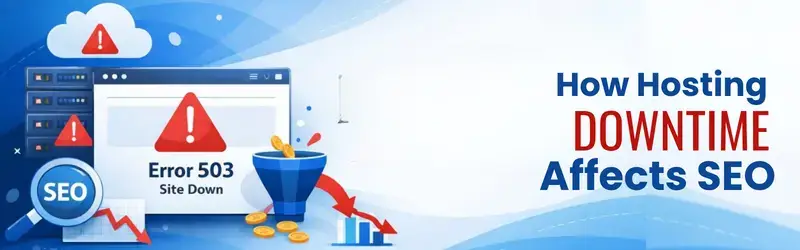
How Hosting Downtime Affects SEO
Search engines prioritize websites that provide stable user experiences. Frequent downtime sends negative signals to search engines.
Crawling Problems
Search engines regularly visit websites to index pages. If the website is unavailable during crawling attempts, pages may not get indexed properly.
Over time, this can reduce visibility in search results.
Ranking Decline
Google considers uptime and user experience as important factors. Websites with recurring downtime may gradually lose rankings.
This becomes especially serious for competitive keywords where every ranking position matters.
Increased Bounce Rate
When users land on unavailable or slow pages, they quickly leave. High bounce rates can indirectly affect SEO performance.
Search engines interpret this as a sign that the website may not be delivering a good experience.
What Happens to Website Data During a Server Failure?
Not all downtime results in data loss, but severe failures can become dangerous if proper backups are missing.
Potential risks include:
- Corrupted databases
- Missing files
- Deleted customer records
- Broken applications
- Lost transactions
- Damaged CMS installations
This is why website backup solutions are critical for every website owner.
Regular backups allow websites to be restored quickly after major failures.

Common Reasons Behind Hosting Outages
Hardware Failure
Servers run continuously and can fail unexpectedly. Storage drives, RAM, processors, or networking equipment may malfunction over time.
Cyberattacks
Distributed Denial-of-Service (DDoS) attacks can overload servers with fake traffic, making websites inaccessible. Poorly secured hosting environments are often vulnerable to these attacks.
Shared Hosting Overload
In low-quality shared hosting environments, multiple websites compete for the same server resources. If one website consumes excessive resources, others may experience slowdowns or downtime.
Software and Update Errors
Improper updates or configuration mistakes can crash servers or applications. Even small changes in server settings may create major issues if not tested properly.
Data Center Problems
Power failures, cooling issues, natural disasters, or networking disruptions inside data centers can affect thousands of websites simultaneously.
Reliable hosting providers usually use redundant infrastructure to minimize these risks.
How Downtime Impacts Online Stores
For eCommerce businesses, hosting uptime is extremely important.
During downtime:
- Customers cannot browse products
- Payment gateways stop functioning
- Orders fail to process
- Inventory systems may break
- Checkout sessions get interrupted
Even short outages during sales campaigns or festive seasons can result in major financial losses.
Customers who face checkout failures often do not return.
The Role of Backups in Website Recovery
Backups are one of the most important protections against severe hosting failures.
A proper backup strategy should include:
- Daily backups
- Offsite backups
- Database backups
- File backups
- Automated recovery options
Reliable website recovery depends heavily on backup quality and frequency.
Without backups, restoring a damaged website may become extremely difficult.
How CDN Services Help During Downtime
A Content Delivery Network (CDN) stores cached versions of website content across multiple global locations. Even if the primary server faces issues, CDNs may still serve:
- Images
- CSS files
- JavaScript
- Cached pages
This helps reduce downtime impact and improves website speed.
CDNs also help protect against traffic spikes and DDoS attacks.
Why Server Monitoring Matters
Many website owners discover outages only after customers complain.
Professional monitoring tools continuously track:
- Uptime
- Response time
- CPU usage
- Memory usage
- Network performance
Early detection allows faster resolution before problems become severe. Monitoring systems can instantly alert administrators when downtime occurs.
How to Reduce the Risk of Hosting Downtime
Choose Reliable Hosting Infrastructure
Not all hosting environments are equal. Look for providers that offer:
- High uptime guarantees
- SSD or NVMe storage
- Redundant networking
- DDoS protection
- Scalable infrastructure
- Quality support
Avoid Extremely Cheap Hosting
Very low-cost hosting plans often place too many websites on a single server.
This can result in:
- Slow loading speeds
- Resource limitations
- Frequent outages
- Poor support response
Reliable performance usually requires balanced infrastructure management.
Keep Software Updated
Outdated software increases the risk of:
- Security breaches
- Compatibility issues
- Server instability
Regular updates improve stability and security.
Use Security Protection
Security measures like:
- Firewalls
- Malware scanning
- DDoS protection
- Access restrictions
help reduce downtime caused by attacks.
Maintain Regular Backups
Automated backup systems should always be enabled. Backups should ideally be stored separately from the main server environment.
What to Do When Your Website Goes Down
If your website becomes unavailable:
Step 1: Verify the Issue
Check whether the issue affects:
- only your network
- a specific region
- all users globally
Step 2: Contact Hosting Support
Reach out to the hosting provider immediately to identify the cause.
Step 3: Check Server Status
Review:
- resource usage
- error logs
- DNS settings
- security alerts
Step 4: Restore Backup if Needed
If files or databases are corrupted, restore the latest stable backup.
Step 5: Inform Users
For business websites, clear communication helps maintain trust during outages.
Why Uptime Guarantees Matter
Most hosting providers advertise uptime guarantees such as:
- 99.9% uptime
- 99.95% uptime
- 99.99% uptime
Although these numbers appear similar, the actual downtime difference can be significant over a year.
Higher uptime percentages usually indicate better infrastructure reliability.
However, uptime guarantees should always be supported by real performance and responsive support systems.
The Importance of Long-Term Hosting Stability
Reliable hosting is not just about keeping a website online today. Long-term stability affects:
- SEO growth
- customer trust
- conversion rates
- user experience
- operational continuity
Frequent server outages can slowly weaken a website’s performance and reputation over time. Businesses that rely heavily on digital operations should prioritize hosting reliability as a core business requirement.
Final Thoughts
A hosting outage can affect far more than just website accessibility. From lost visitors and damaged SEO rankings to revenue loss and customer frustration, the impact of web hosting downtime can spread quickly across an entire business.
While no hosting environment can guarantee zero downtime forever, proper infrastructure, backups, monitoring, and security practices significantly reduce the risks.
Website owners should regularly evaluate their hosting environment, maintain strong backup systems, and prioritize stability over short-term cost savings. In a competitive online world, reliability plays a major role in building trust, improving user experience, and supporting long-term growth.