WordPress.com vs WordPress.org: Which One Should You Choose?
Creating a website today is easier than ever, and WordPress remains one of the most popular platforms powering millions of websites worldwide. Whether you are starting a personal blog, business website, online store, or portfolio, chances are you have come across two options: WordPress.com and WordPress.org.
At first glance, both may sound identical, but they are completely different when it comes to flexibility, hosting, customization, pricing, and control. Choosing the wrong option can affect your website’s growth, performance, and future scalability.
Understanding WordPress.com and WordPress.org
Before comparing the features, it’s important to understand what each platform actually is.
What is WordPress.com?
WordPress.com is a hosted platform where everything from hosting to maintenance is managed for you. It allows users to create a website quickly without worrying about technical setup, server management, backups, or updates.
It is beginner-friendly and works well for simple websites and personal blogs.
What is WordPress.org?
WordPress.org is the self-hosted version of WordPress. It gives complete freedom and ownership over your website. You download the WordPress software and install it on your own hosting account.
This option is ideal for businesses, growing websites, bloggers, agencies, and users who need full control and customization.
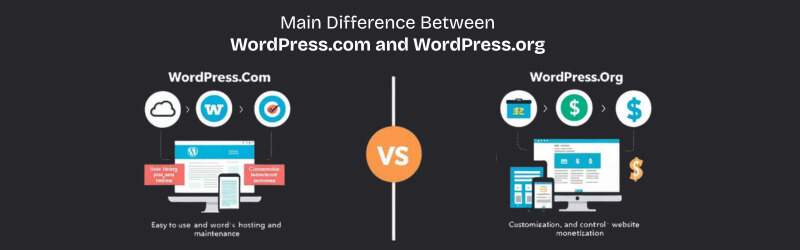
Main Difference Between WordPress.com and WordPress.org
The biggest difference comes down to hosting and control.
With WordPress.com, your website is hosted on their infrastructure, and your customization options depend on your subscription plan.
With WordPress.org, you choose your own WordPress website hosting provider, install WordPress, and gain full access to themes, plugins, files, and server-level customization.
Ease of Setup
WordPress.com
WordPress.com is extremely easy to set up. You simply create an account, choose a plan, select a theme, and start publishing content.
No technical skills are required, making it attractive for beginners.
WordPress.org
WordPress.org requires a hosting account and domain name before installation. However, most modern WordPress hosting providers offer one-click WordPress installation, making the process simple even for beginners.
Although the setup takes slightly more effort, the flexibility gained is significantly higher.
Customization and Flexibility
WordPress.com Limitations
Customization on WordPress.com depends heavily on the plan you purchase. Free and lower-tier plans come with restrictions such as:
- Limited theme customization
- Restricted plugin access
- Ads displayed on your website
- Limited monetization options
- No advanced server access
For users who only want a simple blog, this may be sufficient.
WordPress.org Advantages
With WordPress.org, you can customize every aspect of your website.
You get access to:
- Thousands of themes
- Unlimited plugins
- Custom coding support
- Full SEO control
- eCommerce integration
- Advanced performance optimization
SEO Capabilities
Search engine optimization is critical for website visibility and long-term growth.
SEO on WordPress.com
WordPress.com offers basic SEO features, but advanced SEO tools are limited on lower plans. You may not get full control over technical SEO settings unless you upgrade to premium packages.
SEO on WordPress.org
WordPress.org gives full SEO flexibility. You can install advanced SEO plugins, optimize site speed, customize metadata, create structured data, and improve Core Web Vitals.
This is one reason why many businesses choose managed WordPress hosting or optimized WordPress hosting environments.
Plugin and Theme Access
WordPress.com
Plugin installation is restricted on many plans. You may only use approved tools and themes.
This can become limiting if your website grows or requires advanced features later.
WordPress.org
With WordPress.org, you can install any plugin or theme you want.
Popular features include:
- WooCommerce stores
- Membership systems
- LMS platforms
- SEO tools
- Backup solutions
- Security enhancements
- Cache optimization
Monetization Options
WordPress.com
The free plan may show ads on your website, and monetization methods are limited unless you subscribe to higher-tier plans.
Affiliate marketing, advanced ads, and custom integrations can also have restrictions.
WordPress.org
WordPress.org allows unlimited monetization options.
You can:
- Run advertisements
- Sell products
- Offer memberships
- Build online courses
- Add affiliate links
- Create subscription services
Security and Maintenance
WordPress.com
Security, updates, and backups are handled automatically by the platform. This reduces technical responsibility for beginners.
WordPress.org
With WordPress.org, security management depends on your hosting provider and website configuration.
However, many managed WordPress hosting providers include:
- Automatic backups
- Malware scanning
- Firewall protection
- DDoS protection
- Automatic updates
- Security monitoring
Performance and Speed
Website speed directly affects SEO and user experience.
WordPress.com
Performance is managed by the platform, but optimization options are limited.
WordPress.org
With self-hosted WordPress, performance depends on your hosting provider and optimization methods.
Pricing Comparison
WordPress.com Pricing
WordPress.com offers free and paid plans. While the free plan may seem attractive initially, many useful features require premium upgrades.
Costs can increase as you add functionality.
WordPress.org Pricing
WordPress.org software itself is free, but you need:
- Domain name
- Hosting plan
- Optional premium themes/plugins
Which Option is Better for Beginners?
If you want a quick personal blog without dealing with hosting or customization, WordPress.com can be a simple starting point.
However, if you plan to grow your website, improve SEO, monetize content, or create a professional online presence, WordPress.org is usually the better long-term investment.
Best Use Cases for WordPress.com
WordPress.com is suitable for:
- Personal blogs
- Hobby websites
- Small informational pages
- Users who want minimal maintenance
- Beginners testing website creation
Best Use Cases for WordPress.org
WordPress.org is ideal for:
- Business websites
- eCommerce stores
- Professional blogs
- Agencies and freelancers
- Educational platforms
- Membership websites
- SEO-focused projects
- High-traffic websites
Conclusion: WordPress.com vs WordPress.org
When comparing WordPress.com vs WordPress.org, the right choice depends on your goals.
If simplicity and convenience matter most, WordPress.com offers an easy way to start a website quickly.
But if you want complete ownership, advanced customization, better SEO flexibility, and long-term scalability, WordPress.org is the stronger option.
For most businesses and professional websites, self-hosted WordPress paired with reliable WordPress hosting delivers greater performance, flexibility, and growth opportunities.
As your website evolves, having the freedom to customize and optimize every aspect of your online presence becomes increasingly important. That’s why many website owners eventually choose WordPress.org for a more powerful and scalable experience.